
Loading
How to use GeschenkOn
From finding a gift to redeeming it, five steps are enough.
Explore gifts
Browse gift ideas, Top 100, cities, and categories. Save products to your wishlist and save shops or brands to your favorites.
Add to cart and pay
Check the quantity and total in your cart, including shipping charges for physical products. Choose an available payment method; details for Stripe payment methods are entered securely in Stripe. Vouchers activate only after payment confirmation.
Send to yourself or someone else
At checkout, choose yourself or the recipient email address. Received gifts appear in your giftbox; sent gifts appear in Sent vouchers. For physical products, the buyer enters the delivery address at checkout or the recipient enters it after opening the gift, depending on the offer.
Redeem a voucher
Show the barcode from your giftbox in store. For online offers, enter the code on the partner site. Never share voucher codes in screenshots or messages.
Review orders and refunds
Use My orders to check status, delivery tracking, and documents. A confirmed refund returns to the original payment method.
If “Currently unavailable for purchase” appears, the product remains visible but cannot be purchased right now. Try again later or choose another product.
How to redeem in store
Open the voucher in your giftbox and show its barcode or QR code at the checkout.
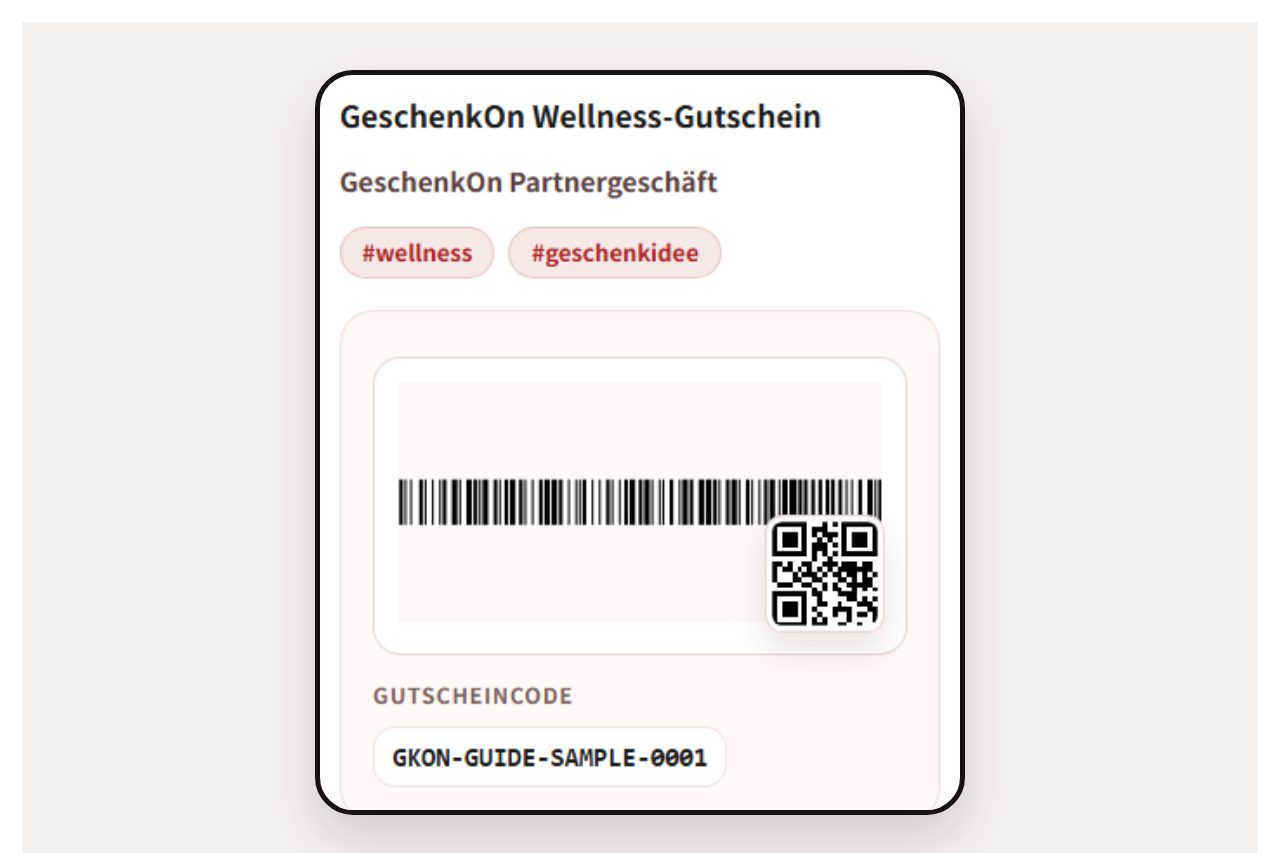
Open the voucherAfter payment is confirmed, the received voucher appears in your giftbox. Open it when you reach the checkout.Example screen shown in German. 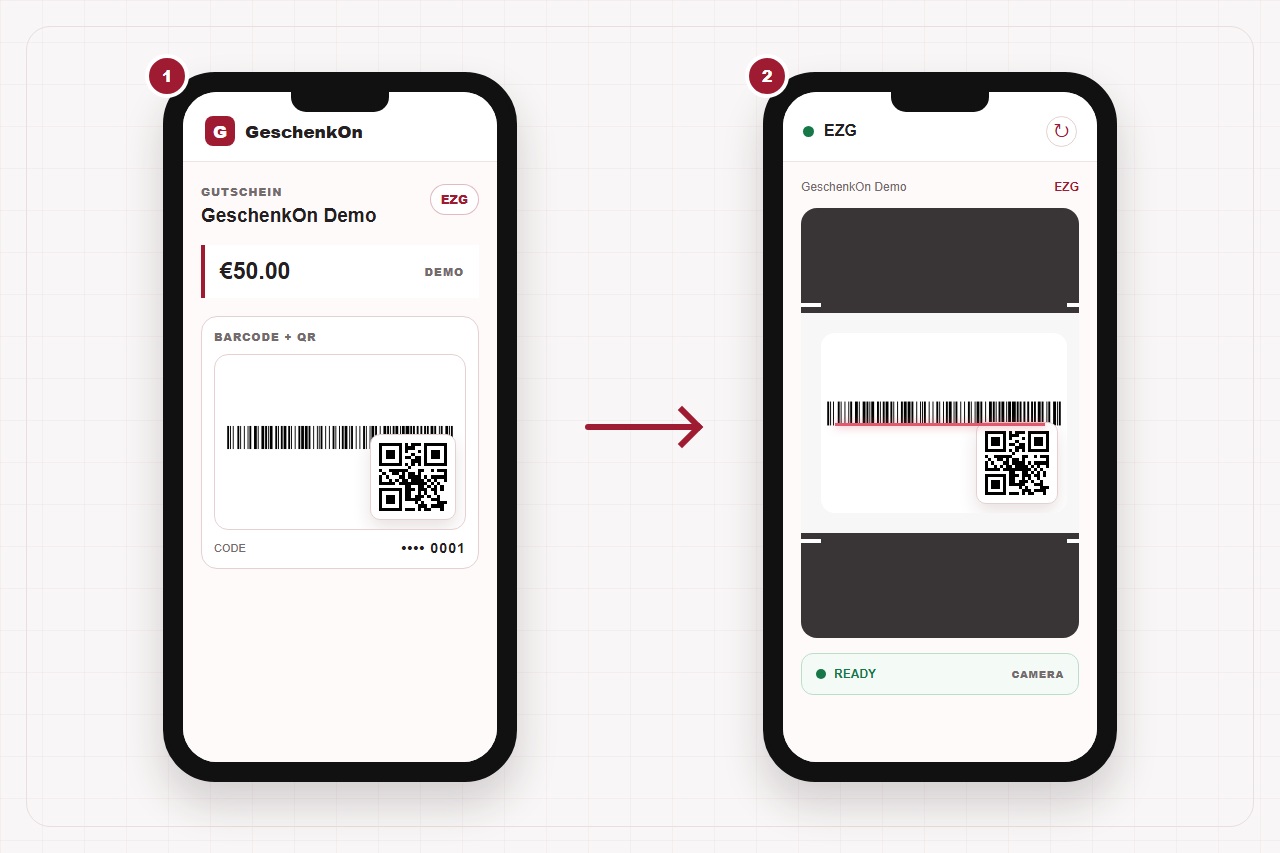
Have it scanned at checkoutShow the code to the staff. Staff first check the voucher, amount, and status, then confirm redemption. Only a successful redemption marks the voucher as used.Example screen shown in German.
Important: Do not share the code in advance by screenshot or message. It can represent monetary value.
Redeem online through the partner API
Online vouchers can be processed through Shopify or the partner gateway. This section covers the partner gateway: the partner shop accepts the code and verifies it with GeschenkOn from its server.
What happens during online redemption?
You enter the code at the partner shop checkout. Check first shows the product, amount, and status without consuming the voucher. Only your following confirmation redeems it.
Check before you start
- Open the voucher in your giftbox and check that it is active and enabled for online use.
- Use the exact partner shop and product shown on the voucher.
- Enter the code only in the designated voucher field, never in search, chat, email, or support screenshots.
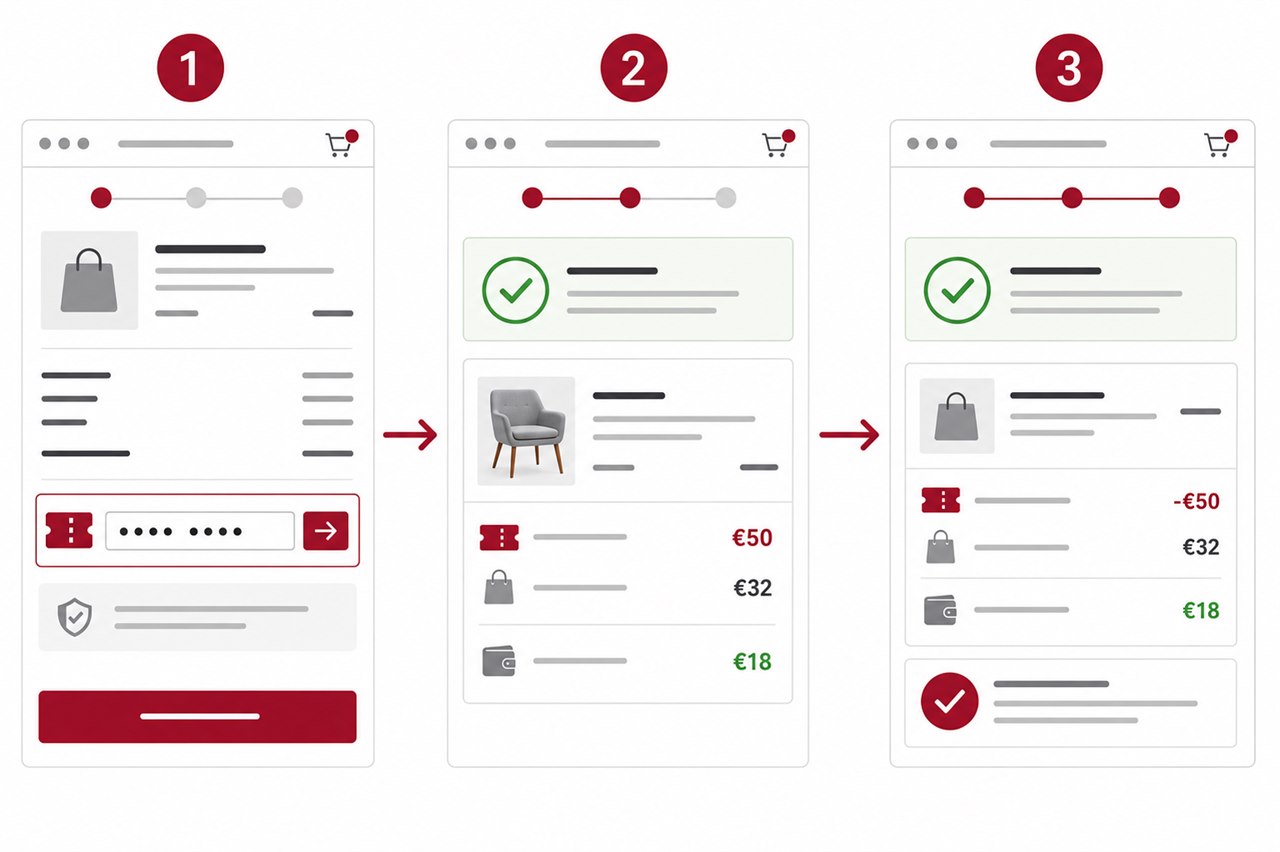
The example in numbers
For a €50 MZG and a €32 order, the check shows €32 as the redemption amount. After one confirmation, €18 remains for later use.
An EZG does not leave a partial balance: it applies only to the mapped product and is used in full in one transaction.
Check voucher status
Open the voucher in your giftbox. It must be active, allow online use, and identify the matching partner or product.
Choose an eligible offer
Open the partner shop named on the voucher and add only eligible products to the cart. For an EZG, the mapped product must be included.
Enter the code in the partner shop
Enter the code only in the designated voucher field. Do not send it to the partner by chat, email, or screenshot.
Check eligibility and amount
After checking, the partner shop shows the eligible product or usable amount. Compare it with the cart and remaining balance.
Confirm the order once
Confirm redemption only when the product and amount are correct. If the partner shop supports a top-up payment, pay only the displayed difference.
Check the result and remaining balance
Redemption is complete only after the partner shop confirms success. Then check the order and voucher status. Do not click again while processing.
Understand EZG and MZG
- Product EZG vouchers are redeemed once for the specified supply and have no remaining balance. Amount EZG and Amount MZG vouchers can be partly used with the same issuer within the scope fixed at issue. Only the confirmed amount is deducted; the balance remains available until the agreed expiry and is not paid out in cash. For Amount EZG, the merchant selects the tax rate and is responsible for classification and tax payment. VAT is accounted for at sale; use or agreed expiry of the balance does not create additional VAT or an automatic tax adjustment. For MZG, the actual supply is taxed on redemption. Each amount use is documented by email with the amount used, remaining balance, and PDF; EZG net, VAT, and gross figures are informational and are not a new tax invoice. Automatic refunds are blocked after partial use; mandatory statutory rights remain unaffected.
- Product EZG vouchers are redeemed once for the specified supply and have no remaining balance. Amount EZG and Amount MZG vouchers can be partly used with the same issuer within the scope fixed at issue. Only the confirmed amount is deducted; the balance remains available until the agreed expiry and is not paid out in cash. For Amount EZG, the merchant selects the tax rate and is responsible for classification and tax payment. VAT is accounted for at sale; use or agreed expiry of the balance does not create additional VAT or an automatic tax adjustment. For MZG, the actual supply is taxed on redemption. Each amount use is documented by email with the amount used, remaining balance, and PDF; EZG net, VAT, and gross figures are informational and are not a new tax invoice. Automatic refunds are blocked after partial use; mandatory statutory rights remain unaffected.
When the result is unclear
- Success: Check the order confirmation and updated voucher status.
- Processing or timeout: Do not submit again. Refresh the order and voucher status or contact the partner shop with the order number.
- Clearly rejected: Correct the code, product, shop, or amount. The partner shop should show actionable text instead of raw technical error codes.
Cancellation, withdrawal, and refunds
Open the relevant purchase in My orders or Sent vouchers. When the order is eligible, the action to request cancellation or withdrawal is shown.
- Choose a reason and submit the request only through the displayed action. If a voucher was already used or the request window has closed, the reason it is unavailable is shown instead.
- While the request is Requested or Under review, you can withdraw it through the displayed action.
- Check the processing status in the order. A confirmed refund is returned to the original payment method.